2% scored, 98% assumed
Manual QA covers a sample. The complaint that became a churned customer, the compliance line that was skipped, the upsell that was never offered — statistically invisible.
A QA team scores a few calls per agent per month and calls it quality. Ender Turing scores every call, chat and email on the scorecard you already use, shows how often the AI agrees with your own reviewers on each criterion — typically 95%+ — and improves the definitions from their reviews. Reviewers calibrate; nobody writes prompts.
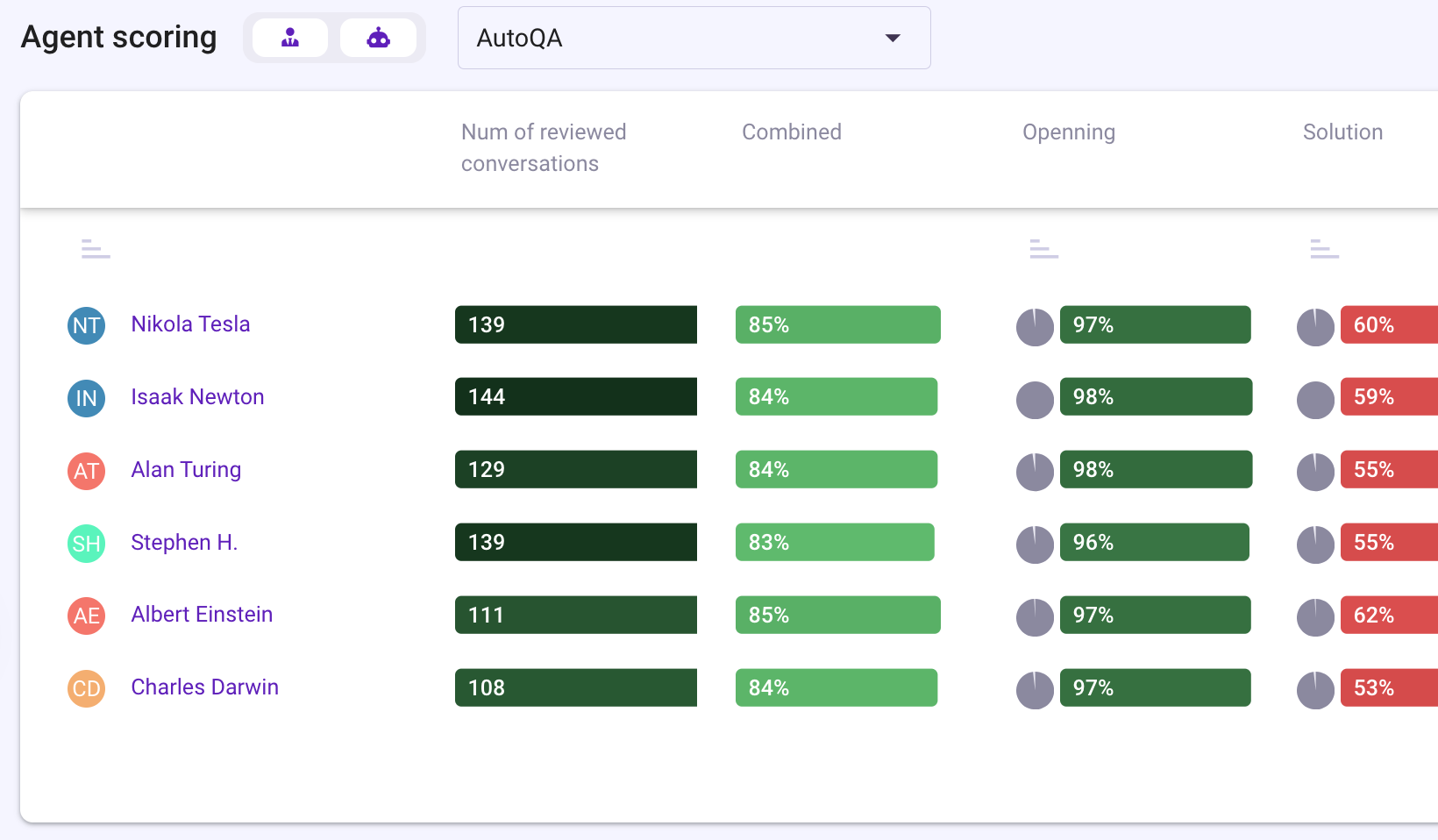
Manual QA covers a sample. The complaint that became a churned customer, the compliance line that was skipped, the upsell that was never offered — statistically invisible.
Two reviewers, two scores for the same call. Agents dispute, managers arbitrate, and the scorecard becomes a negotiation instead of a standard.
The review lives in a spreadsheet; the coaching session is next month. By then the behavior has repeated a hundred times.
Standard templates for your case are installed on sign-up; the plan comparison shows which plan includes each function.
Build the rubric from scratch, copy one, or import its categories and points from Excel in the layout any scorecard exports to, then fine-tune partial and critical scoring in the editor. Mark it Automated and AutoQA answers every point on 100% of calls, chats and emails — the same rubric your reviewers read.
Scorecard accuracy is shown for the whole card and for each point — how often AutoQA agreed with human-validated reviews. Typically 95%+. The improvement workflow builds calibration evidence from reviews, runs AI improvements and activates the better version, without changing the business wording reviewers read.
Compliance rules define the phrases that must be said — disclosures, identification, closing lines — and produce a per-call script-adherence score, highlighted in the transcript, filterable and reportable.
To Do holds the review queue: active, completed and excluded reviews, by task type and reviewer, reassignable. Reviewers score, comment and mention teammates in the transcript; agents see their scores and can dispute a point — the reviewer approves, voids or partially approves.
Enders turn a rule into an action: run AutoQA on a segment, add a low-scoring call to a reviewer's queue, notify a manager when a critical point fails, set a topic. In-app and by email, without anyone watching a dashboard.
Each agent's own dashboard shows their scores, reviewed conversations and training assignments. Playlists collect the calls to learn from; training plans and quizzes turn a finding into a skill. Dashboards and C-level boards put quality next to volume for the manager and the executive.
Averages across our contact-center deployments — each customer's own numbers are in the case studies. Case studies →
Product screenshots — dashboards and analyses from the platform, not illustrations.
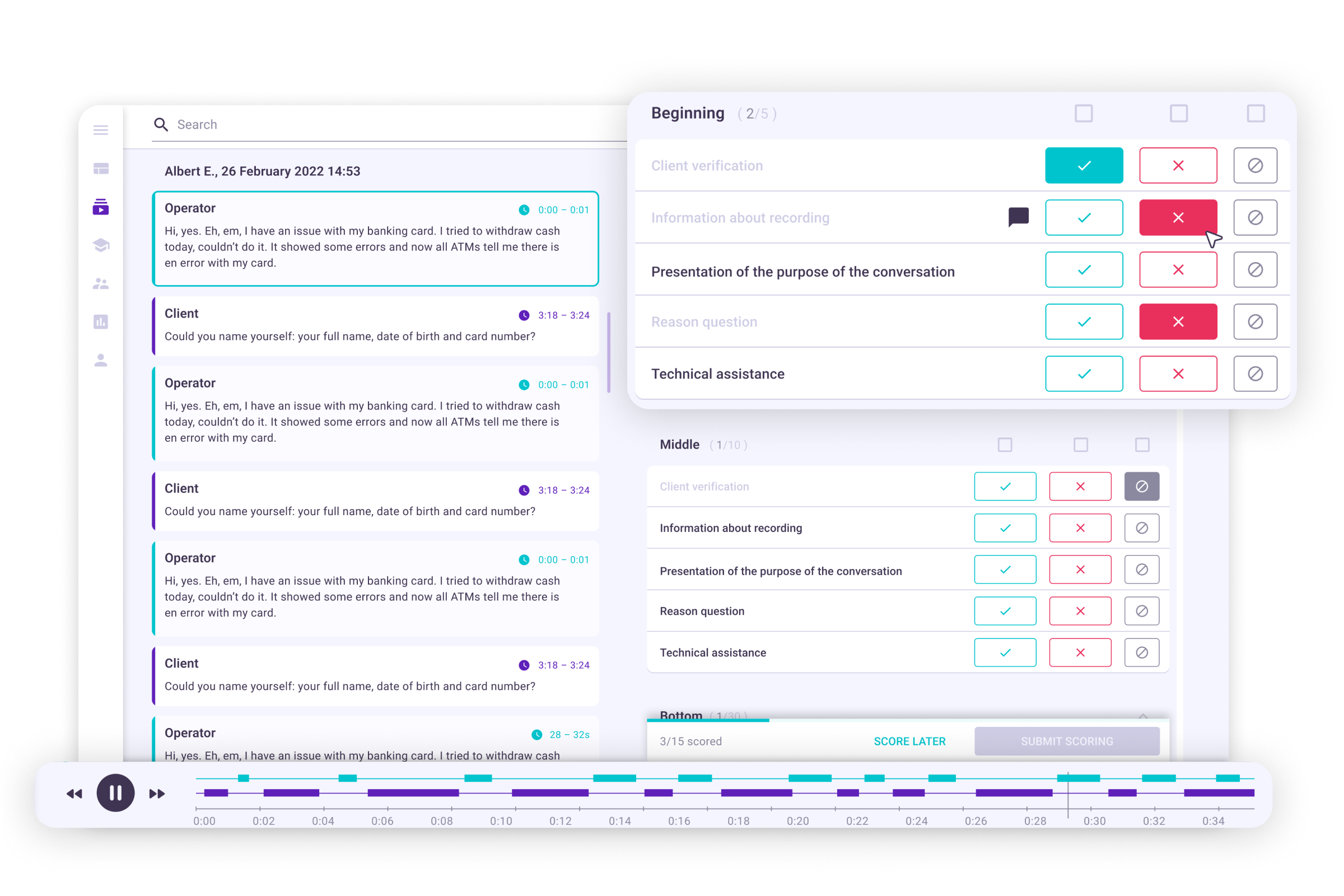
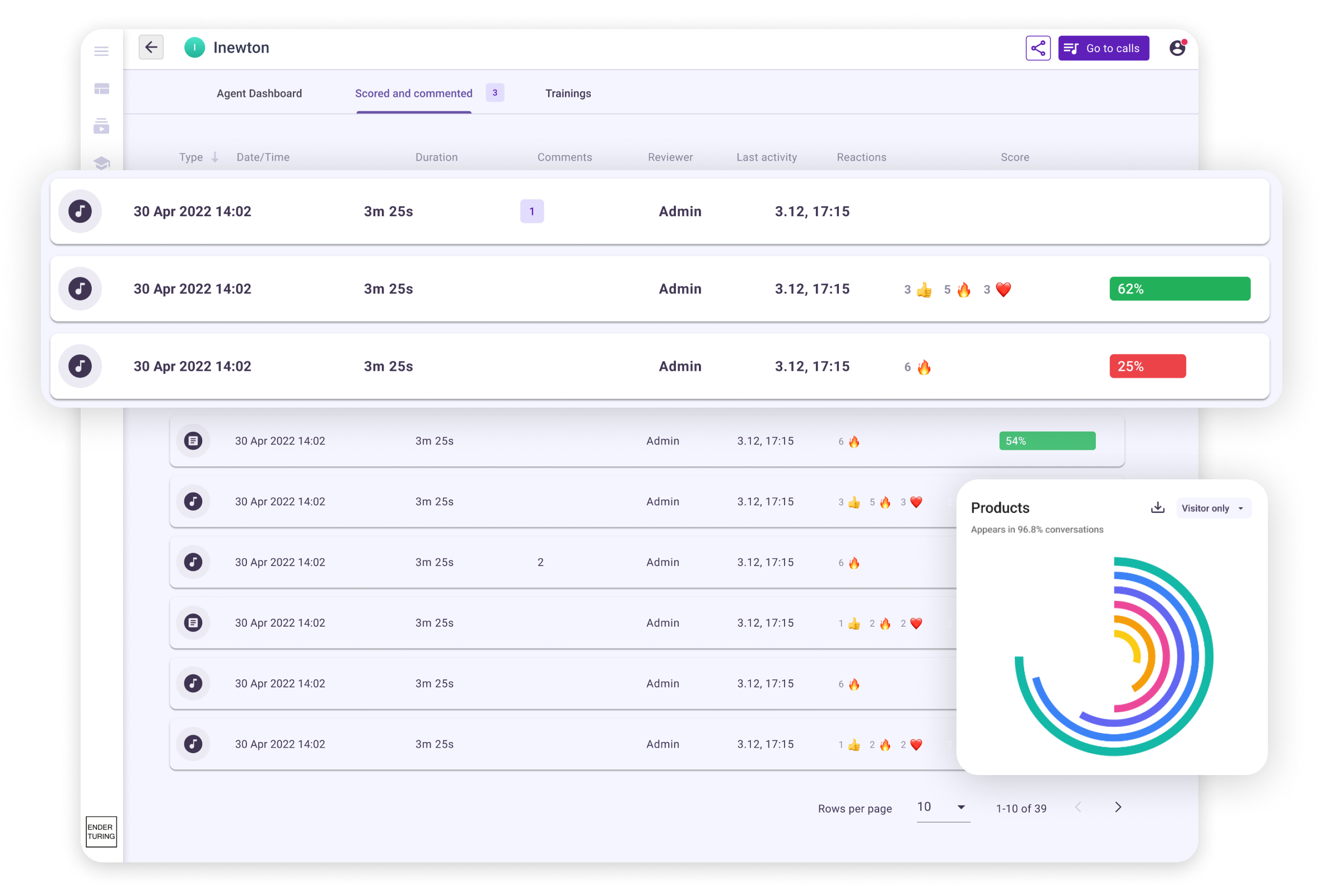
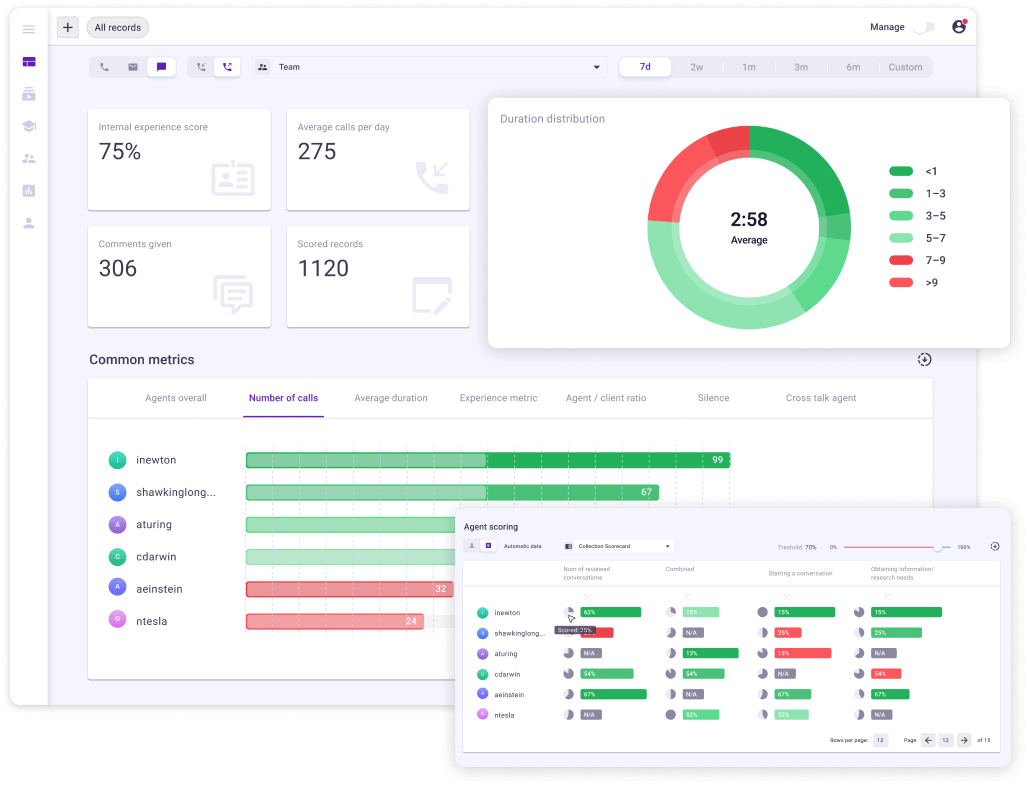
Playlists, training plans, quizzes and each agent's own dashboard — the score becomes next week's behavior.
Ender Assist puts the right script or reminder on the agent's screen while the customer is still talking — the same criteria, before the score exists.
Topics, funnels, metrics and executive boards on 100% of conversations — the analytics behind the quality trend.
Software that evaluates customer conversations against a scorecard — greeting, identification, problem solving, compliance lines, closing — and turns the results into scores, trends and coaching. Traditionally a QA team scored a sample by hand; AI quality assurance software scores every conversation automatically and leaves the humans to calibrate, dispute and coach.
Five checks. Does it score every conversation — calls, chats and emails — or still a sample? Does it score on your own scorecard, with your partial and critical points? Does it show its accuracy against your own reviewers, point by point, rather than a vendor benchmark? Do review queues, disputes and coaching sit next to the score? And does it connect read-only to the platform you already run, at a price published on the website? Ender Turing answers yes to all five: automated scorecards typically reach 95%+ agreement with your reviewers, shown per point and improved from their reviews; it works in any language; the free plan covers up to 5 agents with the standard scorecards, and Team is $39 per agent a month.
Yes. Pricing is per agent per month with no minimum contract — free for up to 5 agents, Team at $39 per agent — so a 50-agent floor and a 500-agent floor buy the same product, with AutoQA on 100% of calls from the start. Business ($79) adds implementation engineers who set up the connectors and scorecards for a larger rollout, executive boards and scheduled reports; Enterprise adds private cloud or on-premise deployment.
Quality assurance is the scoring: each conversation checked against a scorecard. Quality management is the loop around the score — calibration with your reviewers, review queues, disputes, coaching, training and reporting up to the executive. Ender Turing does both on the same conversations: AutoQA scores 100% of them, and the review, dispute, coaching and board functions on this page work from those scores.
Typically 95%+ agreement with your own reviewers on automated scorecards — and you do not have to take that on trust: Ender Turing shows the accuracy for the whole scorecard and for every point, based on human-validated reviews, and the accuracy-improvement workflow raises it from those reviews. Human work on scorecard descriptions is minimal to none; reviewers calibrate, they do not write prompts.
Yes. Build one from scratch, copy a template from the library, or import its categories and points from Excel in the layout any scorecard exports to, then fine-tune partial and critical scoring in the editor. Mark it Automated and AutoQA scores every conversation on it; your reviewers keep scoring on the same rubric for calibration.
Call scoring: the rule behind each score, the API and exports →
Yes. A client whose contract requires its data kept apart gets its own workspace; the other clients share one workspace, where each client's agents form a team with that client's scorecard, and roles scoped to the team show a client's supervisors only their client's conversations. Each campaign is scored on its own rubric — conversations are routed to scorecards by team, queue or topic — in any language your customers speak, and calibration works the same for every client: AutoQA accuracy shown per point against your reviewers, disputes, and playlists for calibration sessions.
It replaces the sampling, not the judgment. AutoQA scores 100% of conversations; reviewers spend their time on the calls that need a human — disputes, critical failures, calibration — and on coaching. Most teams keep the same reviewers and cover fifty times more conversations.
Yes. Each agent has a personal dashboard with their scores, reviewed conversations and training assignments, and can dispute a scored point; the original reviewer approves, voids or partially approves the dispute. Scores become a conversation about a specific call, not an argument about a spreadsheet.
Yes. The same scorecards score calls, chats, emails and online meetings, so a team's quality is one number across channels, and a customer who called and then wrote appears as one case. Meetings come in two ways: the browser extension records Zoom, Microsoft Teams and Google Meet directly, and the Fireflies.ai app imports the meetings Fireflies recorded; each meeting is then scored like a call.
Enders — rule-based automations — add a failing call to a reviewer's queue, notify the manager on a critical point, or set a topic, the moment it happens. Playlists and training plans turn the pattern into a skill; Ender Assist, a separate product, shows the agent the right line during the next call.
Three things to check: a free plan and transparent per-seat pricing rather than an enterprise quote; the accuracy of the automated score shown per point against your own reviewers, not a vendor benchmark; and a read-only connection to the platform you already run, with the browser extension where the platform does not record. It works in any language.
Standard scorecards and templates for your case are installed on sign-up; connect a platform or upload recordings and the first conversations come back scored the same day. Calibration takes a few review sessions, and the accuracy is visible while it happens.
Yes. Upload the call recordings and chat exports you already have, with nothing to connect or replace, and they come back transcribed and scored the same day. On the free plan the pilot runs on the standard scorecard: up to 5 agents, 100 calls per agent a month, calls up to 10 minutes, no expiry. To pilot your own scorecard, Team ($39 per agent a month) imports it from Excel; your reviewers score a sample of the same calls, and Ender Turing shows how often AutoQA agreed with them on every point — typically 95%+. Any new paid contract has a 30-day money-back, and Business adds implementation engineers who connect your platform for the rollout.
Yes, with no expiry: up to 5 agents, 100 calls per agent a month, calls up to 10 minutes, with the standard scorecards. Team is $39 per agent per month with no limits; Business adds executive boards, scheduled reports, connectors and implementation engineers.
Security, hosting regions, sub-processors and response times are documented on the Data Security page; SOC 2 Type II audited, the latest report available under NDA.
Sign up, import your scorecard or take a template, connect a platform or upload recordings — the first conversations come back scored the same day.