The rubric gets rebuilt
Your scorecard carries the decisions your team calibrated: point values, critical failures, what counts as N/A. A tool that only scores on its own template throws that work away.
Your scorecard is the standard your reviewers calibrated. Ender Turing scores every call, chat and email on it, keeps the written rule behind every automated score, measures each point's accuracy against your reviewers, and sends the scores where your reports already live: the REST API, webhooks and Excel exports.
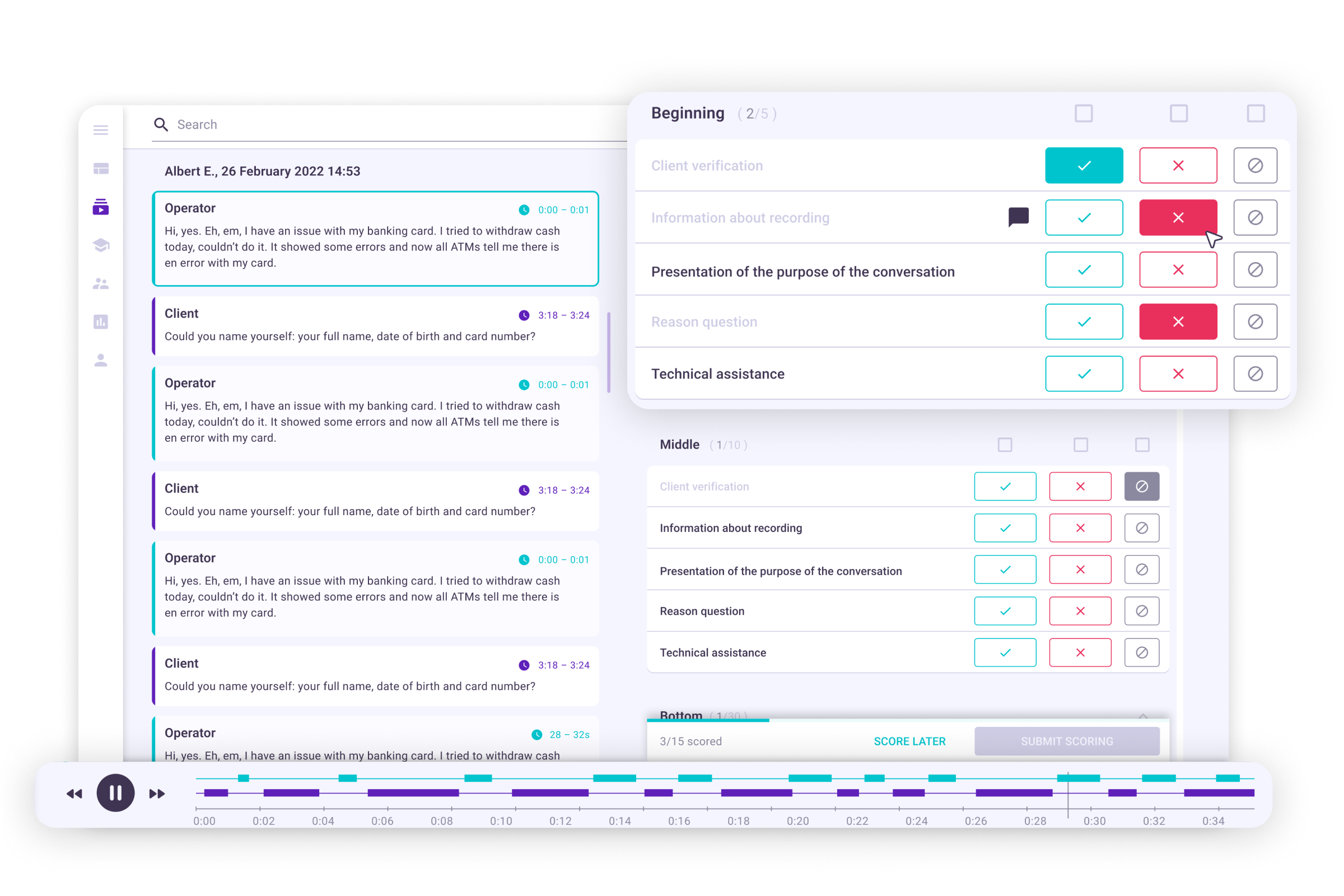
Your scorecard carries the decisions your team calibrated: point values, critical failures, what counts as N/A. A tool that only scores on its own template throws that work away.
An automated score that cannot show the rule behind it is a number agents dispute and managers cannot defend in a coaching session.
Quality lives in the QA tool, the operating numbers in the BI team's reports, and someone copies one into the other every month — so quality never sits next to handle time, CSAT or revenue.
Standard templates for your case are installed on sign-up; the plan comparison shows which plan includes each function.
Build a scorecard from scratch, copy one, or import your rubric from Excel in the layout any scorecard exports to. Each point is a Yes/No question or a set of partial values such as 0, 3 and 5; a failed critical point fails its category; you decide whether N/A is left out, counted as the maximum or counted as zero. Any scorecard exports back to Excel.
Each team has its own scorecard, so collections, support and sales are scored on different rubrics. Enders run AutoQA on exactly the conversations their conditions select — by topic, direction, duration or language — on every point, or only on the points you choose.
Every automated score traces back to the plain-text instruction AutoQA executed for that point, and AutoQA records the version that scored each conversation. A version you edit, or one an improvement run proposes, can add the conditions for Yes, No and N/A and boundary cases with the reason for each. In review mode, AutoQA's scores sit next to the transcript under the system user, apart from each human reviewer, so a reviewer confirms or corrects them against what was said.
Scorecard accuracy is shown for the whole card and for every point: how often AutoQA agreed with human-validated reviews, typically 95%+. Once a point has 5 Yes and 5 No reviews, an improvement run rewrites its instruction from them, and you activate the better version; agents dispute a score with their reasoning, and the reviewer approves, voids or partially approves.
An integration account lists conversations with the same filters as the Conversations screen and pulls every quality score recorded against each one, its summary and the figures behind the dashboards — into a BI tool or a data warehouse. It writes too: recordings, chats, records for scoring work that is not a conversation, and quality scores. The Session API role carries no configuration permissions.
An automation (an Ender) triggered by a new score sends a webhook to your endpoint by POST or PUT, with signing and retries: a JSON body with the conversation, its summary, topics and scorecard scores, which a JSONata mapping can reshape into the JSON your system expects. Each agent's scoring table downloads as Excel or CSV, and the detailed export gives one row per review with a score for each scored point, the reviewer, comments, the summary and topics. Scheduled email reports deliver the dashboard as PDF or HTML.
Averages across our contact-center deployments — each customer's own numbers are in the case studies. Case studies →
Product screenshots — dashboards and analyses from the platform, not illustrations.
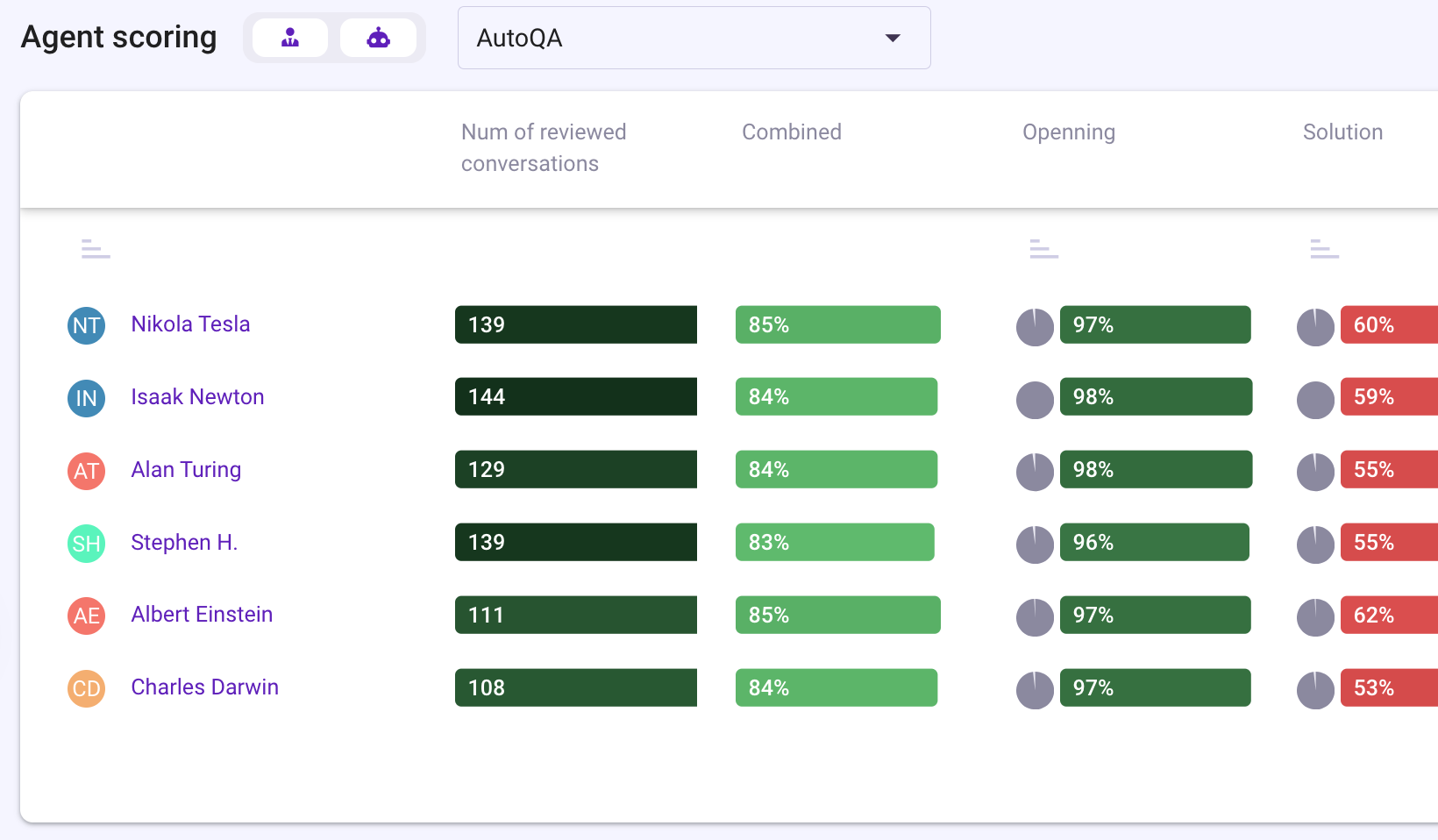
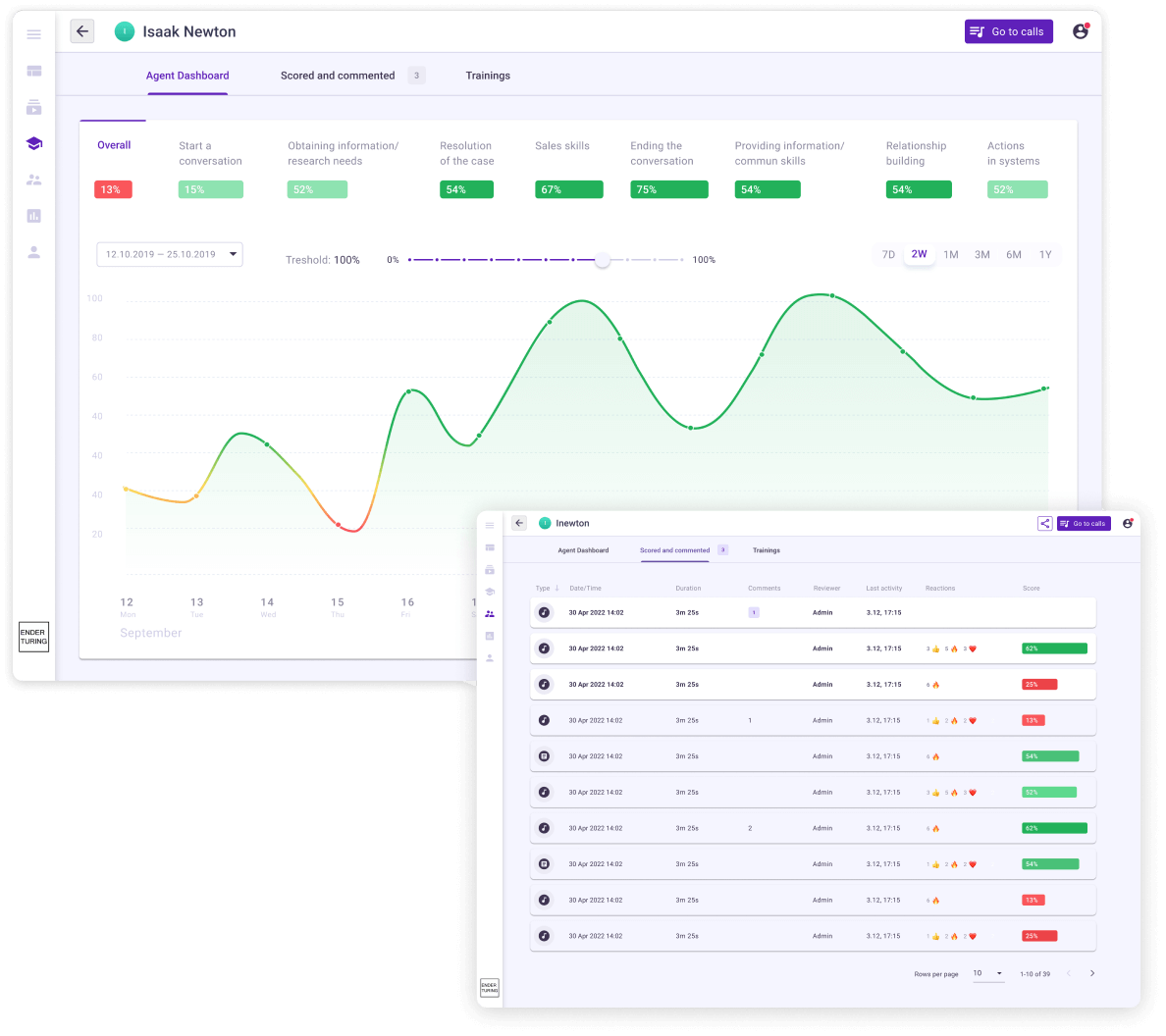
Review queues, disputes, calibration and coaching on 100% of conversations — the loop around the score.
Apps and connectors for your telephony, helpdesk and meeting recorder, the browser extension, the REST API, SFTP and upload.
Each agent's own dashboard, playlists of the calls to learn from, and training plans with quizzes for the agents whose points fail.
Software that checks each call against a scorecard — greeting, verification, discovery, resolution, compliance lines, closing — and records a score per point, per call and per agent. Manual call scoring covers the sample a reviewer has time for; automated call scoring scores every call and leaves reviewers to calibrate, settle disputes and coach.
Yes, all four. Configurable scorecards: build one in Ender Turing or import its categories and points from Excel, then set Yes/No or partial points, critical points that fail their category and how N/A counts; any scorecard exports back to Excel. Explainable evaluation results: every automated score traces back to the plain-text instruction AutoQA executed for that point, AutoQA records which version scored each conversation, and accuracy is shown per point and improved from your reviewers' corrections — typically 95%+ agreement with your reviewers. API: the REST API lists conversations with the same filters as the Conversations screen and returns every quality score recorded against each one. Exports for existing reporting workflows: a webhook sends the scorecard scores as JSON to your endpoint whenever a new score is added, a JSONata mapping reshapes them into the format your system expects, and each agent's scoring table downloads to Excel, down to one row per review with a score for each scored point.
Yes. Put its categories and points into the Excel layout any scorecard exports to and import the file: it becomes a scorecard you can fine-tune, with partial values, critical points and the N/A rule set in the editor. Mark it Automated and AutoQA scores the conversations you route to it; your reviewers keep scoring on the same points for calibration.
With the rule that produced it. Every point stores the plain-text instruction AutoQA executes, and AutoQA records which version of that instruction scored each conversation; a version you edit, or one an improvement run proposes, can also spell out when to score Yes, No and N/A, with boundary cases and the reason for each. In review mode AutoQA's scores sit next to the transcript under the system user, apart from each human reviewer, so a reviewer confirms or corrects them against what was said. Accuracy is shown per point against your human-validated reviews, and the improvement workflow rewrites the instruction from those reviews without changing the wording your reviewers read.
Yes, two ways. Pull: the REST API lists conversations with the same filters as the Conversations screen and returns every quality score recorded against each one; for a bulk load, run one query per day or week, and fetch recent days again, because a reviewer can add or amend a score days after the call. Push: an Ender triggered by a new score sends a webhook with the conversation's scorecard scores, summary and topics to your endpoint.
They keep the rule that produced them. AutoQA records the exact version of each point it used, so editing a description or activating an improved version never moves historical results. Adding or removing a point, or changing its values, its critical flag or the N/A behavior, asks for confirmation first, because it can change historical totals; a point that an automation uses cannot be removed until the automation stops using it.
Yes. A scorecard holds whatever criteria you write — discovery questions, objection handling, a next step agreed — and AutoQA scores every recorded sales call on it. Calls arrive through the apps for your dialer or meeting recorder, or through the browser extension that records browser calls on 18 platforms.
Ender Turing is free for up to 5 agents with no expiry, scoring on the standard scorecard; Team is $39 per agent a month with your own scorecards. On Team and Business, AutoQA scores every conversation at any volume within the seat price, with no per-evaluation charge. The plan comparison lists which plan includes the API, the exports and scheduled reports.
Security, hosting regions, sub-processors and response times are documented on the Data Security page; SOC 2 Type II audited, the latest report available under NDA.
Sign up, connect a platform or upload recordings, and the first conversations come back scored the same day on the standard scorecard; the plan comparison shows which plan adds your own scorecards, the REST API and exports.